The tuning knob your FT-710 deserves.
710dial is an external tuning knob with a round touch display. Frequency, S-meter, power and SWR at a glance; band, mode and PTT at your fingertip – ideal for the portable station in the car or as a second control panel on your desk.
Works with 710 Console by M7XTD- One USB cable
- No driver
- English · Deutsch · Français
Everything that matters under one finger
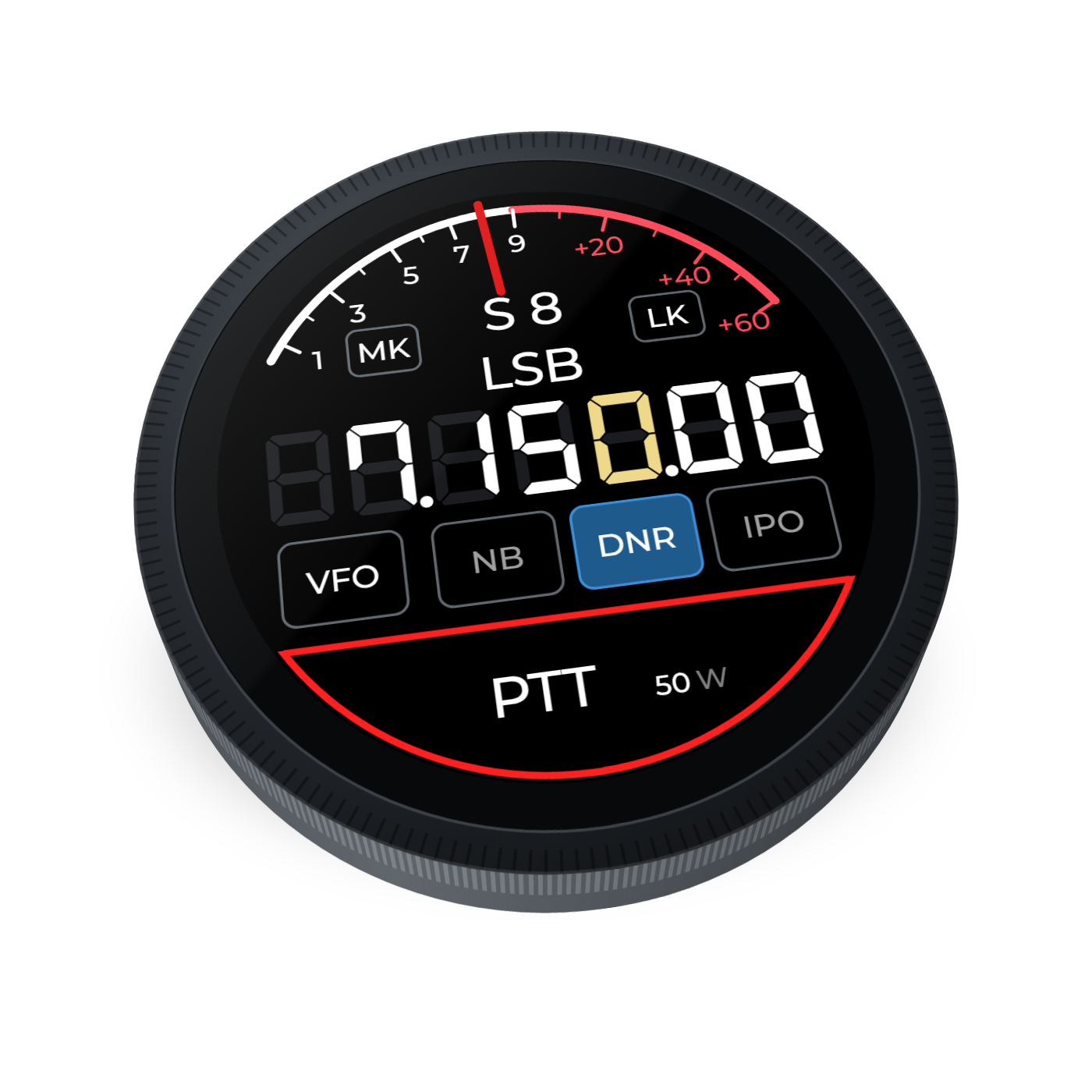
The 1.8-inch round display shows what the radio reports – not just what you pressed.
Tuning with feel
Aluminium knob – high-quality and smooth-running. Tune just like on the radio.
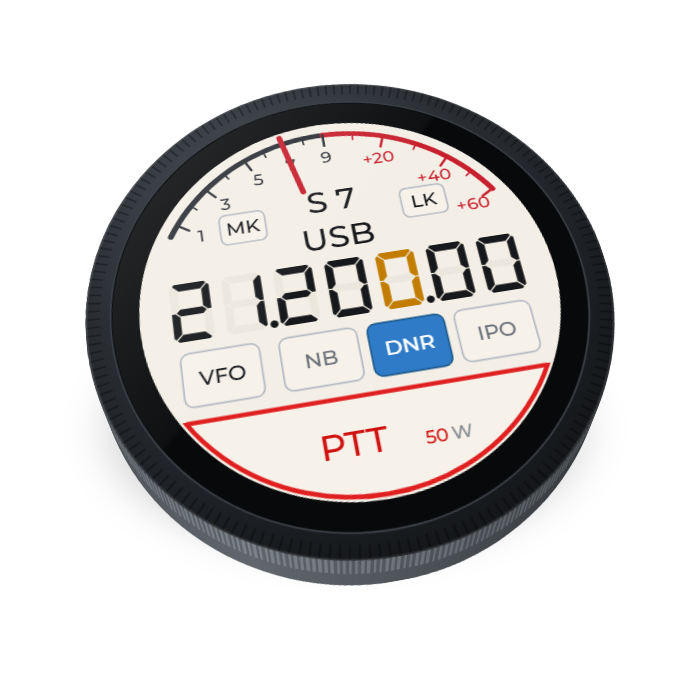
S-meter, power, SWR
Needle arc for S-meter and power out. SWR shown as a colour-coded value.
Band and mode
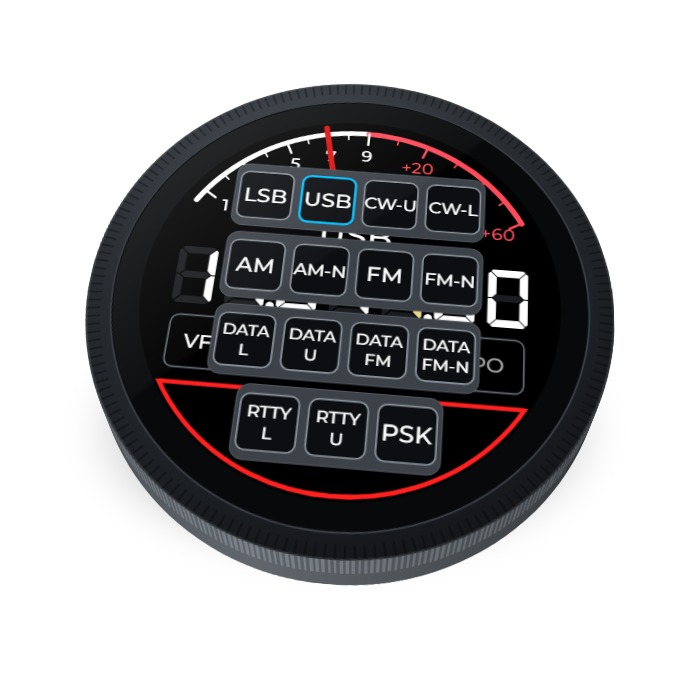
All 11 bands from 160 to 6 m and all 15 modes of the FT-710 by touch.
NB, DNR, preamp, filter
Switch on and adjust with the knob or the on-screen slider.
Macros
Up to eight macros such as “20 m FT8” with a single tap – your own, or trigger the 710 Console macros. Plus LK: locks the knob except PTT, VFO/AF, NB, DNR and IPO.
Make it yours
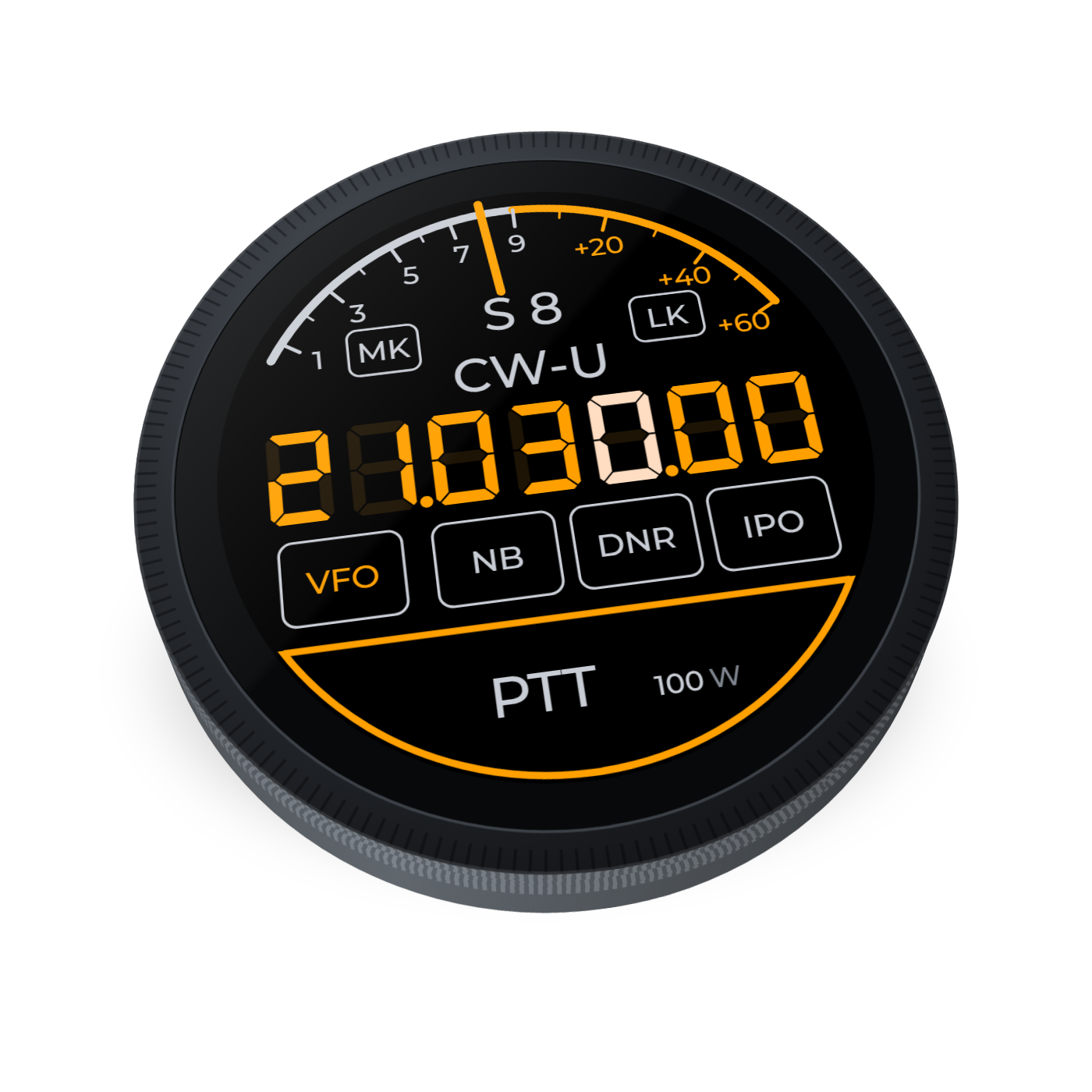
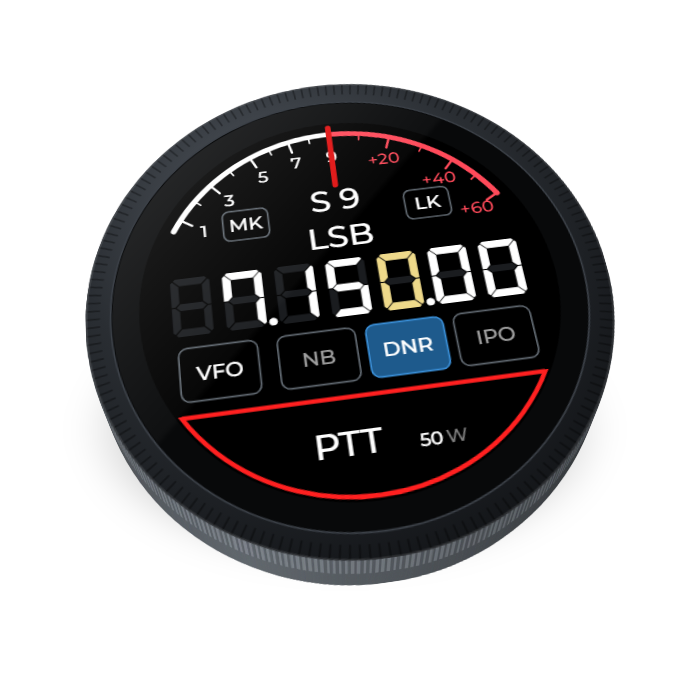
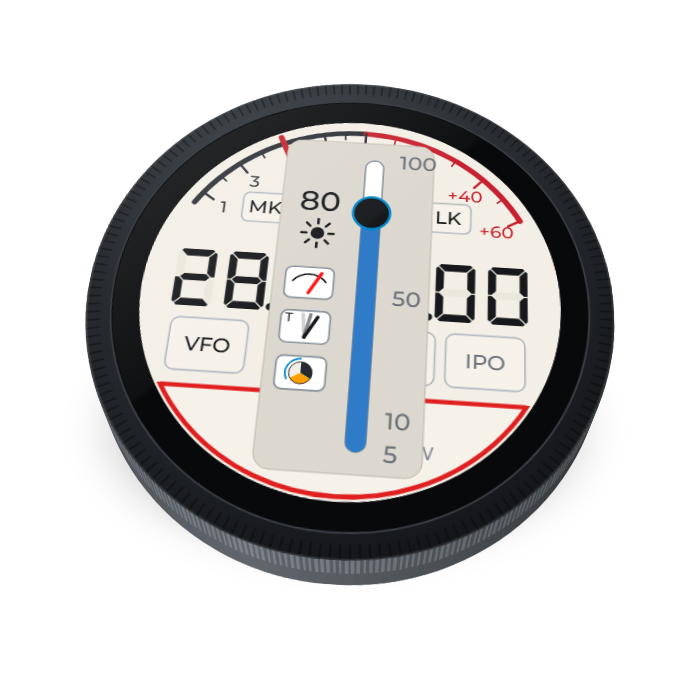
Three designs (dark, light and 710dial in orange), three frequency fonts (including 7-segment), brightness, needle colour and 90° screen rotation.
What 710dial looks like
The screens just as the knob shows them – in all three designs: dark, light and 710dial in orange.
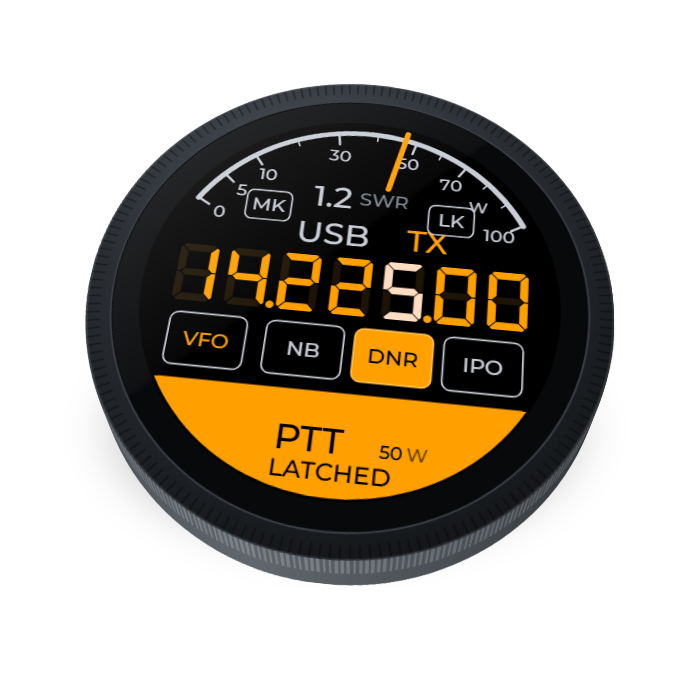
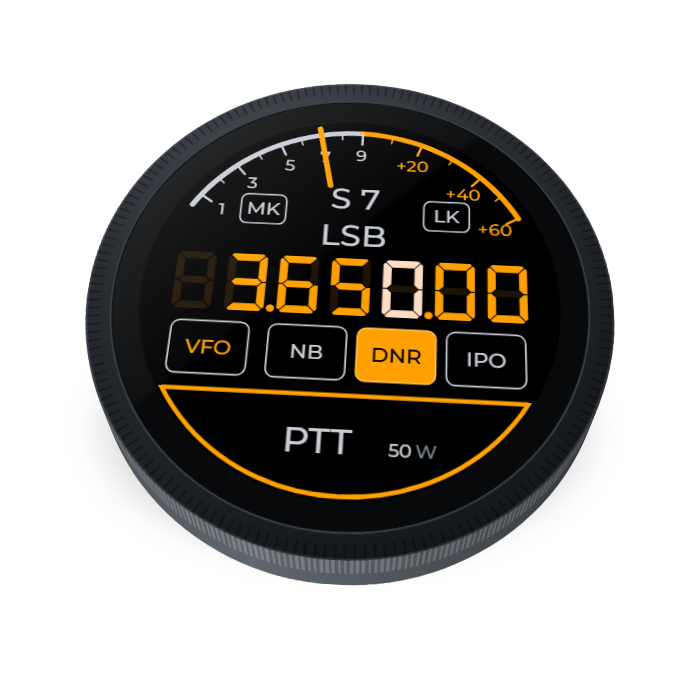
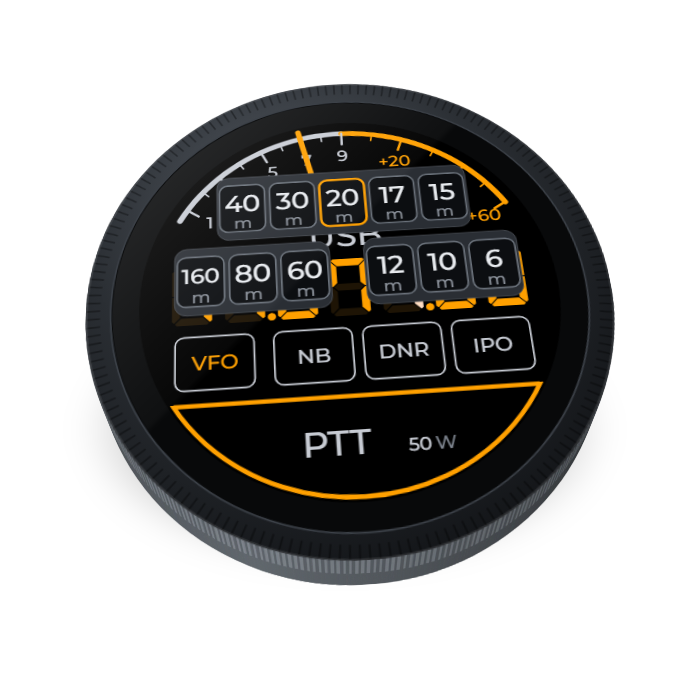
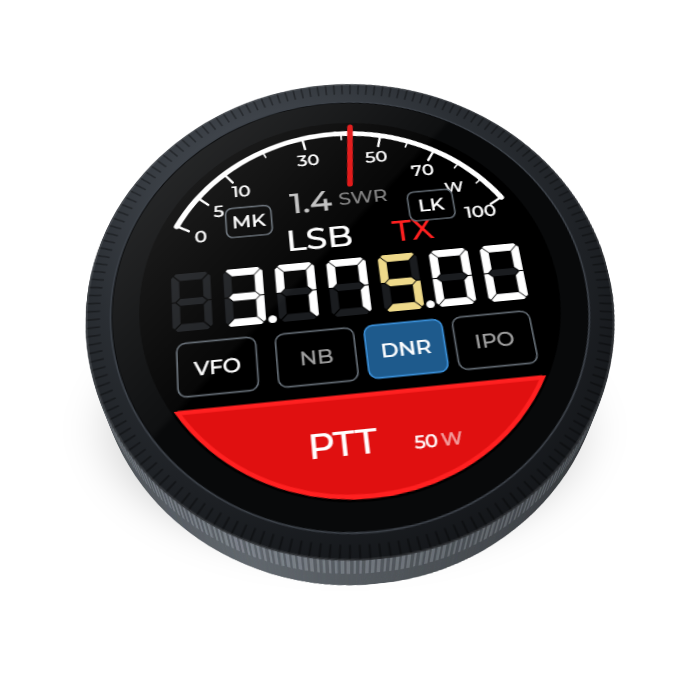
Works with 710 Console by M7XTD
710dial is the ideal companion to 710 Console by Nathan Daniels, M7XTD. The knob runs alongside it via CAT Share – 710 Console stays in charge of the radio, and other programs such as WSJT-X keep working undisturbed.
- Connects via CAT Share; 710dial reads the port from the 710 Console settings itself
- 710 Console macros available right on the knob
- Without 710 Console, 710dial talks to the FT-710 directly and releases the port as soon as 710 Console starts (710dial and the FT-710 always need to be connected to the PC)
- No COM port numbers to set: knob and radio are found automatically
Plug in, start the program, tune
Knob
One USB-C cable for power and data
710dial Bridge
Small Windows program that finds everything by itself
710 Console
via CAT Share – or direct without Console
Radio
connected to the PC by USB as usual
You need a Windows 10/11 PC with the FT-710 connected by USB. The knob needs no driver.
Tap or hold for 1 second
Every area has two functions. The full overview is in the quick guide.
| Area | Tap | Hold 1 s |
|---|---|---|
| Mode | LSB → USB → CW → AM → FM | Choose from all 15 modes |
| MHz digits | Step 1 MHz | Band selection |
| kHz digits | Step 1 / 10 / 100 kHz | Rotate screen by 90° |
| Hz digits | Step 10 / 100 / 500 Hz | Change frequency font |
| VFO / AF | Knob controls the volume | Filter width |
| NB · DNR | on / off | Set level |
| IPO / AMP1 / AMP2 | Cycle the preamp | TX power 5–100 W or “NO TX” |
| PTT | Hold = transmit, double-tap = latch | – |
| Swipe | from the top: brightness · from the left: settings | – |
No stuck transmitter
Transmitting via CAT is convenient – but only with a safety net. 710dial has several safeguards that work independently of each other.
Technical data
- Display
- 1.8" round, 360 × 360 pixels, touch
- Housing
- High-quality aluminium housing and aluminium knob
- Controls
- Knob in both directions, touch, haptic feedback
- Processor
- ESP32-S3, 16 MB flash, 8 MB PSRAM
- Connection
- USB-C, power and data over one cable
- Radio
- Yaesu FT-710
- PC
- Windows 10 / 11, 64-bit, no driver needed
- Software
- 710 Console by M7XTD recommended, not required
- Languages
- English, German, French (follows Windows, switchable)
- Regions
- IARU Region 1, 2 and 3
Hardware, quick guide and software
Disclaimer: The 710dial software and firmware are free of charge and provided without warranty. You use them at your own risk, in particular when flashing the firmware and when controlling the radio (including transmitting via the knob’s PTT). Liability is limited to intent and gross negligence and to mandatory statutory provisions.
Questions about 710dial?
Technical question, support or just interested? Write to me and I'll reply by e-mail.
If something doesn't work
The most common stumbling blocks and how to solve them. The 710dial Bridge also shows hints in its own window.
Connection
The knob stays dark or is not recognised by the PC
The most common cause is a charge-only cable without data lines. Use a different USB-C cable and plug it straight into the PC, not into a passive hub.
Knob not found: turn the USB-C plug round
The knob has two chips: depending on which way round the USB-C plug is inserted at the knob, the wrong one reports. Unplug it at the knob, turn it by 180° and plug it back in. The Bridge detects this and notes it in its log.
The knob shows “No bridge”
The Windows program 710dial Bridge is not running. Start it from the Start menu. After the laptop wakes from sleep it reconnects by itself, which takes a few seconds.
The knob shows “FT-710 missing”
The Bridge is running but cannot reach the radio. Check: is the FT-710 switched on and connected by USB to the same PC? If 710 Console is running, CAT Share must be enabled there (REMOTE → CAT Share). After 710 Console starts, it can take up to 20 seconds until the knob is connected.
710 Console no longer finds the FT-710
Older versions of 710 Console chose the wrong COM port when switching the radio on via CAT, possibly the knob's. Update 710 Console to the current version (fixed from 1.4.23) and select the FT-710's CAT port there.
Display and operation
The picture is sideways, the cable is in the way
Holding the kHz digits for 1 second rotates the picture by 90° clockwise. This lets you place the knob with the USB socket facing any direction.
The frequency is grey instead of white
The emission lies (wholly or partly) outside the amateur band of the selected IARU region, e.g. 7.200 MHz USB in Region 1. If the region is wrong: swipe from left to right and choose it under “IARU region”.
Wrong language on the knob
The knob follows the Windows display language. To set it by hand: swipe from left to right and tap DE, EN or FR – this choice then always applies.
Macros from 710 Console don't appear
710 Console macros are only available when the knob is connected via 710 Console and macros are stored there. Otherwise the knob shows its own macros and switches back by itself as soon as 710 Console is available again.
Resetting everything to factory settings
Swipe from left to right, tap “Reset” and hold “Yes” until the counter reaches 0. Releasing earlier cancels.
Transmitting
The PTT area is grey or shows “NO TX”
Grey means transmitting is not possible right now, e.g. without a connection to the radio. “NO TX” means the knob's power is set to 0, which locks the PTT. Fix: hold the IPO button for 1 second and slide the power up.
Transmission stops by itself after 3 minutes
That is intentional: after 3 minutes the knob ends transmission for safety. Release briefly and press again. The reason is shown briefly in orange above the buttons.
No audio from the microphone when transmitting
The FT-710 is then taking its modulation from the PC instead of the microphone. Switch off “Enable PC Mic” in 710 Console and set MODE SSB → MOD SOURCE to MIC in the radio's menu.
Not listed? Write to me using the form – with your call sign, Windows version and what the knob and the Bridge show.
Frequently asked questions
Do I need 710 Console?
No. 710dial works with it and then also shows its macros, but it works just as well directly with the FT-710. Only if you run other CAT programs at the same time is 710 Console the better way.
Does the knob work without a PC?
No. The FT-710 is connected to the PC by USB, and the knob talks to it through the Windows program 710dial Bridge. One cable is enough – power comes from the PC.
Mac or Linux?
Currently Windows 10 and 11 only, as 710 Console is a Windows program too.
Other radios?
Today only the Yaesu FT-710. Other Yaesu radios such as the FT-991 are prepared; let me know which radio you are interested in.
Can I still transmit with the microphone?
Yes. The microphone PTT and other programs are unaffected; the knob shows their transmission too. “NO TX” only locks the knob's own PTT.
Enjoying 710dial?
710dial is a hobby project developed in my spare time. If you would like to support its further development, I am happy about a contribution of any amount – voluntary and without anything in return.
Opens paypal.me/DL1FUX in a new tab. Only then does PayPal process data, see privacy policy (German).